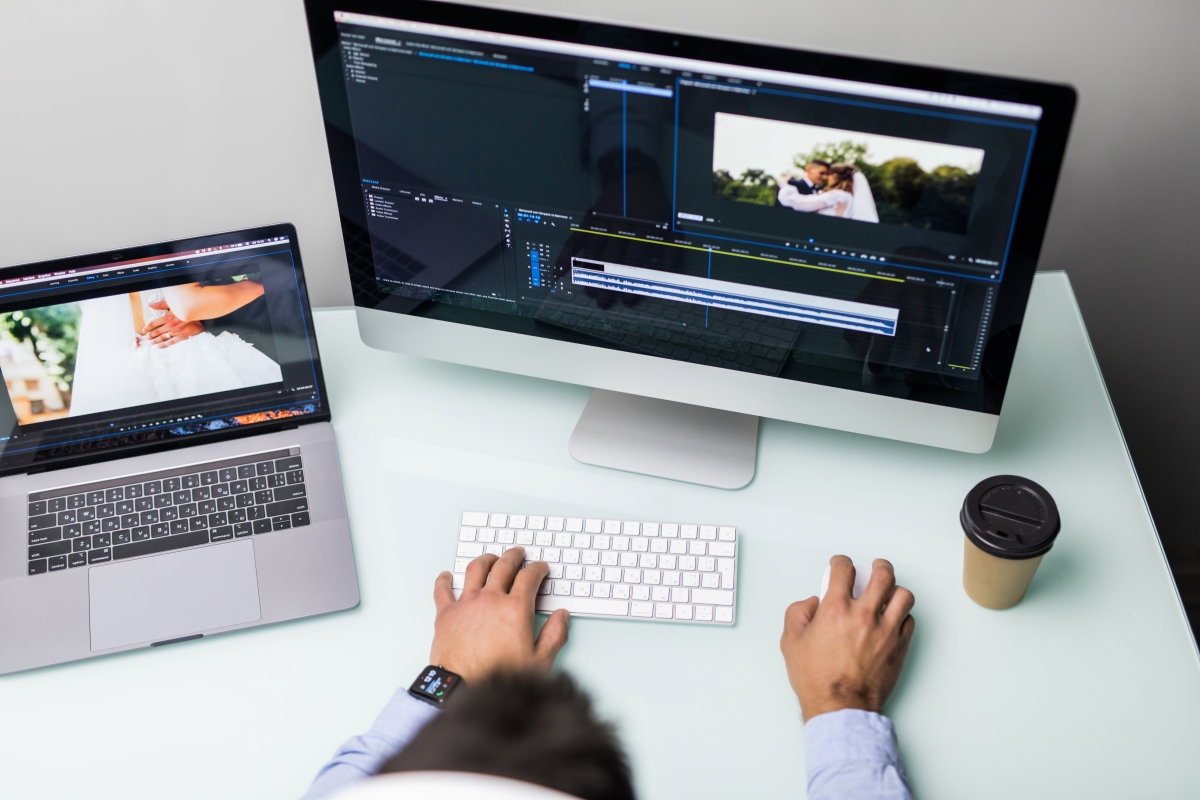
Apple’s Final Cut Pro has changed the video editing world. It offers advanced tools and an easy-to-use interface. This makes it a top choice for editors to express their creativity.
This industry-leading software meets the needs of professionals. It has tools for editing videos, adjusting colors, and working with audio. With Apple software, users get top-notch performance and smooth integration with Apple products.
Key Takeaways
- Professional video editing software developed by Apple.
- Advanced features for video editing, color grading, and audio editing.
- User-friendly interface for enhanced creativity.
- Seamless integration with other Apple products.
- High-performance capabilities for demanding projects.
What is Final Cut Pro?
Final Cut Pro has changed video editing, thanks to Apple. It’s a top-notch tool for both pros and serious hobbyists. Its wide range of features and easy-to-use interface make it a favorite in the video editing world.
Overview of Final Cut Pro’s Purpose and Position in the Market
Final Cut Pro is made for video editing and video production pros. It has advanced tools for editing, color grading, and audio work. This makes it a complete solution for creators.
Its intuitive interface and strong features appeal to many. This includes beginners and experienced editors alike.
Brief History and Development by Apple
Apple bought Final Cut Pro in 1999 and has kept improving it. The software has grown a lot, especially in color grading and audio editing. This has made it a key player in video production.
The newest versions have brought big upgrades. These include better color grading tools and audio editing capabilities. This has made Final Cut Pro even more powerful for video editors.
System Requirements and Compatibility
To start editing videos with Final Cut Pro, your system must be ready. It needs to meet certain hardware and software requirements to work well.
Hardware Requirements
Final Cut Pro needs a Mac with:
- A Multi-core Intel processor for tough tasks.
- At least 4GB of RAM, but 8GB or more is better for big projects.
- A compatible graphics card that supports Metal for smooth effects and playback.
- 256GB or more of storage for your files and the program.
Operating System Compatibility
Final Cut Pro only works on macOS. Your Mac must run:
- The latest version of macOS for the best experience.
- At least macOS High Sierra or later, but newer is better.
Make sure your system meets these needs. Then, you can use Final Cut Pro to its fullest for video editing.
Pricing and Licensing Options
When looking at Final Cut Pro, it’s key to check out the pricing and licensing options. Final Cut Pro has a simple pricing plan. It offers a one-time purchase option for $299.99. This gives you full access to its advanced features without any ongoing fees.
One-Time Purchase vs. Subscription
Final Cut Pro is different from many video editing software. It doesn’t have a subscription model. Instead, you can buy it once for $299.99. This includes all features and future updates. It’s great for professionals and serious hobbyists who like owning their software without monthly costs.
Educational and Business Pricing
Apple has special prices for schools and businesses. The software is available through the Apple Education Pricing program. This offers discounts for students and teachers.
Businesses can get custom pricing for buying in bulk. This is through Apple’s Pro Apps for Business program. It makes Final Cut Pro more affordable for teams.
The Final Cut Pro Interface
Learning the Final Cut Pro interface is key to using its editing tools. It’s made to be easy to use, so you can focus on your creative work. This makes editing a breeze.
Understanding the Timeline
The timeline is where you edit your videos. Here, you put together your clips, add transitions, and tweak settings. Final Cut Pro’s timeline is magnetic, which means clips adjust automatically when you make changes. This helps avoid sync problems.
This is great for complex projects. It lets you edit more freely without the trouble of adjusting each clip manually.
Media Browser and Organization Tools
The media browser is your central spot for managing media. You can import, organize, and preview files right there. It supports many file formats, making it easy to work with various media types.
Tools like keywords and ratings help you find clips fast. This makes editing quicker and easier.
Customizing Your Workspace
Final Cut Pro lets you customize your workspace. You can adjust the layout, pick which tools to show, and save different setups for different tasks. This flexibility helps you tailor your workflow to your project’s needs.
By customizing your workspace, you can work more efficiently. This lets you use Final Cut Pro’s advanced features to their fullest.
Core Editing Features in Final Cut Pro
Final Cut Pro has a set of powerful editing tools. These tools make video editing easier and more enjoyable. They are why many professionals and hobbyists choose Final Cut Pro.
Magnetic Timeline Technology
The Magnetic Timeline is a key feature of Final Cut Pro. It makes editing easier by avoiding the need for tedious adjustments. This technology helps keep your project organized and saves time.
With the Magnetic Timeline, you can move clips around without disrupting the rest of your project. This means your edits will flow smoothly without gaps or overlaps.
Clip Organization and Management
Good clip organization is essential for editing. Final Cut Pro has tools like smart collections and keyword collections to help. These tools make it easy to find and manage your clips.
Using these tools keeps your workspace tidy. This lets you focus on the creative parts of your project, not searching for clips.
Precision Editing Tools
Precision editing is what makes Final Cut Pro stand out. It has tools like the Blade Tool for precise cuts. You can also trim clips with frame accuracy.
These tools are crucial for professional video production. As experts say,
“Precision editing tools are indispensable for creating a polished final product.”
With Final Cut Pro, you can refine your work to the smallest detail.
Advanced Video Production Capabilities
Final Cut Pro offers top-notch video production tools. These tools help editors make high-quality projects. They make editing easier and offer many creative options.
Multi-Camera Editing
Final Cut Pro’s multi-camera editing is a game-changer. It lets editors easily switch between camera angles. This is great for live shows, interviews, or events shot from different angles.
With Final Cut Pro, syncing and switching angles is simple. This makes creating engaging content easier.
Color Grading and Correction
Color grading and correction are key in video production. Final Cut Pro has a wide range of tools for this. The Color tool offers color correction and grading options like color wheels and LUTs.
Editors can use these tools to improve their project’s look. They help keep the look consistent across scenes.
| Color Grading Tool | Description | Benefit |
|---|---|---|
| Color Wheels | Adjust color temperature and tint | Precise color control |
| LUTs (Look Up Tables) | Apply pre-defined color grades | Consistent look across scenes |
| Curve Controls | Adjust brightness and contrast | Enhanced visual detail |
Motion Graphics and Titles
Final Cut Pro also has advanced tools for motion graphics and titles. It works with Motion, Apple’s motion graphics app. This lets users create complex graphics and animations right in Final Cut Pro.
Editors can customize templates or make their own graphics. This adds more creativity to their projects.
These advanced tools help editors improve their projects’ quality and impact. Whether it’s multi-camera editing, color grading, or motion graphics, Final Cut Pro has everything needed for professional video content.
Audio Editing and Enhancement
Final Cut Pro lets you boost your project’s audio quality with its advanced editing tools. It offers a wide range of features to help you get professional-grade audio in your videos.
Audio Cleanup and Processing Tools
Final Cut Pro has many tools for cleaning and processing audio. The Noise Reduction tool reduces background hiss. The Hum Removal feature gets rid of unwanted hum. You can also use the Equalizer to fine-tune your audio clips for the best sound.
- Reduce background noise with the Noise Reduction tool.
- Remove hum and other unwanted sounds.
- Adjust audio tone with the Equalizer.
Soundtrack and Music Integration
Adding music to your video can make it more engaging. Final Cut Pro makes it easy to add soundtracks to your projects. You can change the volume, trim the music, and find the perfect score using the Music and Sound Effects browser.
- Import your chosen soundtrack into Final Cut Pro.
- Adjust the volume levels to balance with your project’s audio.
- Trim the soundtrack to fit your project’s duration.
Using these audio editing and enhancement tools can greatly enhance your video projects in Final Cut Pro.
Special Effects and Post-Production
The software has a wide range of special effects and post-production tools. It meets different video editing needs. It includes built-in effects and transitions, support for third-party plugins, and advanced 3D and VR video editing capabilities.
Built-in Effects and Transitions
Final Cut Pro has many built-in effects and transitions. These can be easily added to make your video better. You’ll find color correction tools, video filters, and dynamic transitions to give your projects a professional look.
Third-Party Plugins and Extensions
Final Cut Pro also supports third-party plugins and extensions. This lets users add more features. You can get plugins for motion tracking and advanced color grading to enhance your work.
3D and VR Video Support
It also supports 3D and VR video editing. This means you can create immersive projects. You’ll have tools for 360-degree video editing and Stereoscopic 3D, making it great for modern video production.
| Feature | Description | Benefit |
|---|---|---|
| Built-in Effects | Variety of effects for video enhancement | Easy to use, no additional cost |
| Third-Party Plugins | Expand software capabilities | Customizable to specific needs |
| 3D and VR Support | Tools for immersive video editing | Future-proof your projects |
The Final Cut Pro Ecosystem
For professionals, the Final Cut Pro ecosystem offers a seamless integration with other Apple applications. This makes work more productive and creative. It’s designed to give a full video production experience, using the best of Apple devices and software.
Integration with Motion and Compressor
Final Cut Pro works well with Motion and Compressor. These tools add to its video editing skills. Motion lets users make custom motion graphics and effects. Compressor helps with video encoding and exporting efficiently.
| Tool | Purpose | Benefit |
|---|---|---|
| Motion | Create custom motion graphics and effects | Enhances visual creativity and customization |
| Compressor | Efficient video encoding and exporting | Streamlines post-production workflow |
iCloud and Apple Device Integration
The Final Cut Pro ecosystem also benefits from iCloud integration. It lets users access their projects and media on all Apple devices. This continuity feature means professionals can work on projects from anywhere, using their iPhone, iPad, or Mac.
- Seamless project sharing across Apple devices
- Automatic syncing of projects and media via iCloud
- Enhanced collaboration and productivity
Professional Workflow Tips and Resources
Mastering Final Cut Pro is more than just knowing its features. It’s about making your workflow efficient. Professionals can boost their productivity with the right tools and techniques. Here, we’ll look at valuable resources and tips to streamline your video editing.
Learning Resources and Training
Getting the most from Final Cut Pro means using quality learning resources. Apple offers extensive training, including tutorials and workshops. Also, Udemy and LinkedIn Learning have deep courses on Final Cut Pro.
Some top resources include:
- Apple’s official Final Cut Pro training website
- Udemy courses on advanced Final Cut Pro techniques
- LinkedIn Learning videos on Final Cut Pro editing
Time-Saving Keyboard Shortcuts
Keyboard shortcuts are key to a faster workflow in Final Cut Pro. Learning shortcuts can greatly speed up your editing. Here are some essential ones to start with:
| Shortcut | Action |
|---|---|
| Spacebar | Play/pause playback |
| I | Mark in point |
| O | Mark out point |
| Cmd + Z | Undo |
| Cmd + Shift + Z | Redo |
Conclusion: Is Final Cut Pro Right for You?
Final Cut Pro is a top-notch video editing software. It has many tools and features for both pros and beginners.
It’s great for complex projects with its multi-camera editing, color grading, and motion graphics. It also has awesome audio editing and special effects. This makes it a complete solution for video editors.
Thinking about using Final Cut Pro? Check if it fits your needs. If you’re into the Apple world and work with high-quality footage, it’s a great pick.
Choosing Final Cut Pro depends on your editing style and project needs. By looking at its benefits and features, you can decide if it’s right for you.